
AI photo animation
Image to video AI that animates your photos
Upload a still, describe how it should move, and Miruvia turns it into a short video. The Best engine renders clips of 5, 10 or 15 seconds with sound in HD or Full HD, and Ultra reaches 30 seconds, with a Reference mode that builds a scene from up to five pictures.
- Outputs video
- From 13 credits
- Clips with sound
What you can do with Image to Video
Animate any still
Bring product shots, portraits, artwork and landscapes to life, guided by an optional motion prompt.
Control how the clip ends
Add an optional last frame to set where the video lands, which is handy for reveals and before-and-after transitions.
Get clips with sound
Best adds sound to clips of 5, 10 or 15 seconds in HD or Full HD. Ultra, unlocked after your first credit purchase, runs up to 30 seconds with a sound toggle.
Build scenes from reference pictures
Ultra's Reference mode combines up to five pictures, such as characters, outfits, products or places, which your prompt calls [Image 1] to [Image 5].
Keep your framing
Without Reference mode, the clip keeps your image's aspect ratio. In Reference mode, choose Auto, 9:16, 3:4, 1:1, 4:3 or 16:9.
How it works
How Image to Video works
- 01
Upload your image
Add the still you want to animate, plus an optional last frame to set how the clip ends.
- 02
Describe the motion
Add a short motion prompt if you like, then choose an engine, a length and a resolution.
- 03
Generate and share
Your clip lands in your private Library, ready to download and post.
Example
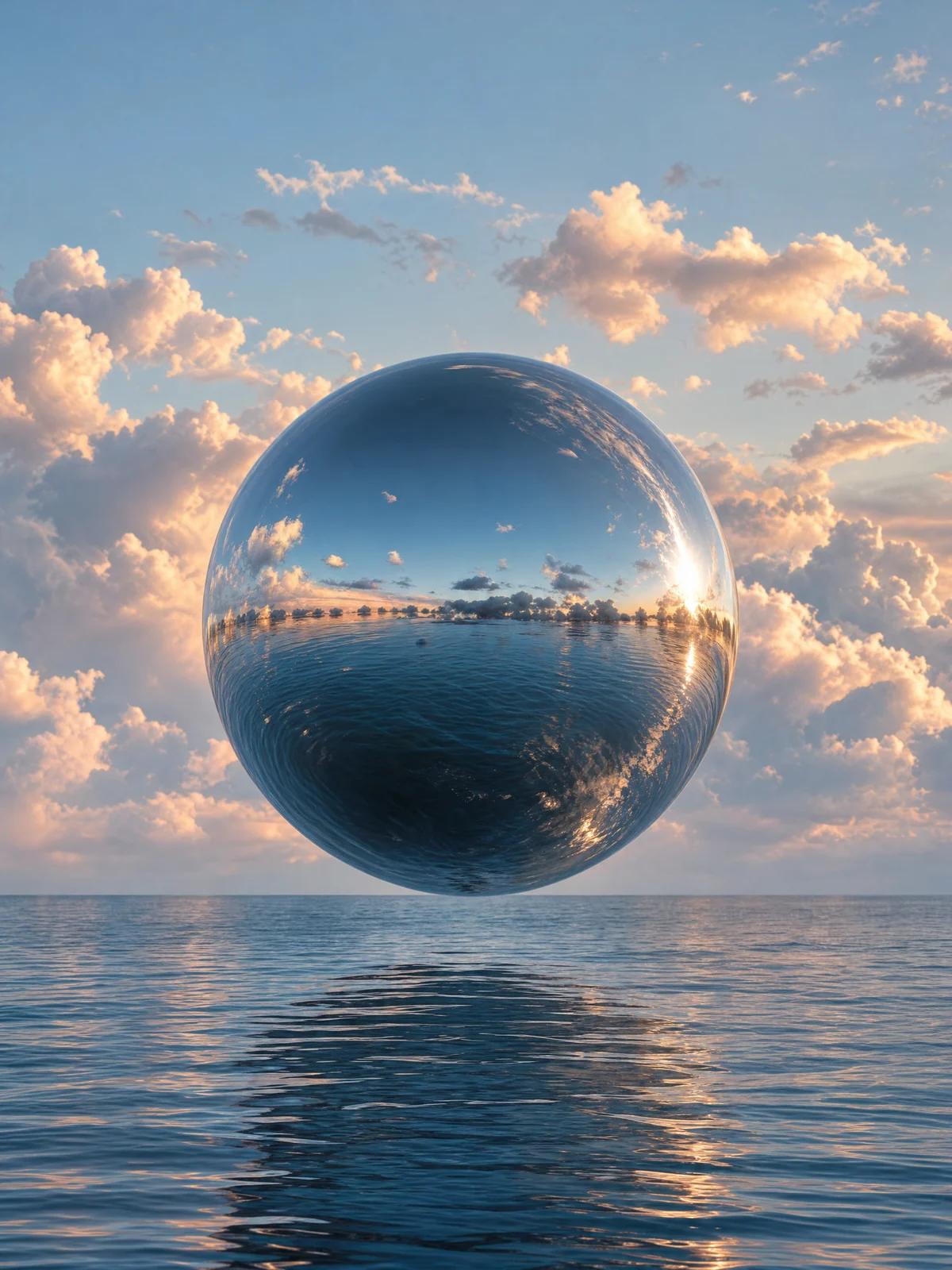
A surreal still, now in motion
Start from an image you already have and add one line of direction. Drifting clouds and a gentle floating motion turn a still into a calm, eye-catching clip.
Example prompt
“The mirror-chrome sphere floats gently up and down above the calm sea, pastel clouds drift slowly across the sky and are reflected in its surface, soft light ripples on the water, slow cinematic push-in.”
Popular uses
Made for one job
Questions, answered
Image to Video FAQ
Best starts at 13 credits for a 5-second HD clip with sound. Longer clips, Full HD and Ultra cost more, and the exact credit cost shows before every render.
Best renders clips of 5, 10 or 15 seconds. Ultra, available after your first credit purchase, renders clips from 5 to 30 seconds.
Yes. Add an optional last frame to control how the clip ends, which works well for reveals and transitions.
Reference mode on Ultra builds a scene from up to five pictures instead of animating a single still. Your prompt directs them as [Image 1] to [Image 5], and you choose the aspect ratio.
Pick a sharp image with a clear subject and some room around it for movement. Then describe one main action and one camera move in your prompt.
Yes. You can use your creations commercially as long as you have the rights to the images you upload and follow the Terms.
Make your next photo move
Upload a still, add a line of direction and get a clip with sound. Pay per render with Miruvia credits that never expire.