
Text to image AI
Text to image AI that turns your words into images
Describe a portrait, a product shot or a poster in plain words, and Miruvia's text to image AI renders it in the format you need. Pick an engine, set the aspect ratio and get up to four images per run, starting at 1 credit per image.
- Outputs image
- From 1 credit
- Up to 15 aspect ratios
What you can do with Text to Image
Choose the right engine
Vivid is bold, illustrative and expressive at 1 credit per image. Vivid Pro gives the sharpest, most cinematic results at 1K or 2K, and Sharp keeps text and fine detail crisp.
Design posters and logos with readable text
Sharp is the engine for words in the picture. Use it for headlines, labels, logos and interface mockups that need clean lettering and crisp edges.
Fit every format
Start with 9:16 for stories, 1:1 for feeds or 16:9 for thumbnails and banners. Switch to Vivid Pro to unlock 15 aspect ratios, from tall 1:3 to panoramic 3:1.
Compare up to four takes
Generate 1–4 images per run to explore compositions, colors and moods side by side, then keep the one that fits your idea.
Keep going in one studio
Every image lands in your private Library. Download it, refine it in Image Editor, or send it to Image to Video to bring it to life.
How it works
How Text to Image works
- 01
Describe your image
Write what you want to see: the subject, setting, style and lighting. Plain, specific language works best.
- 02
Pick an engine and format
Choose Vivid, Vivid Pro or Sharp, an aspect ratio and how many images you want. The exact credit cost shows before you generate.
- 03
Generate and download
Your images appear in your private Library, ready to download or send to another tool.
Example
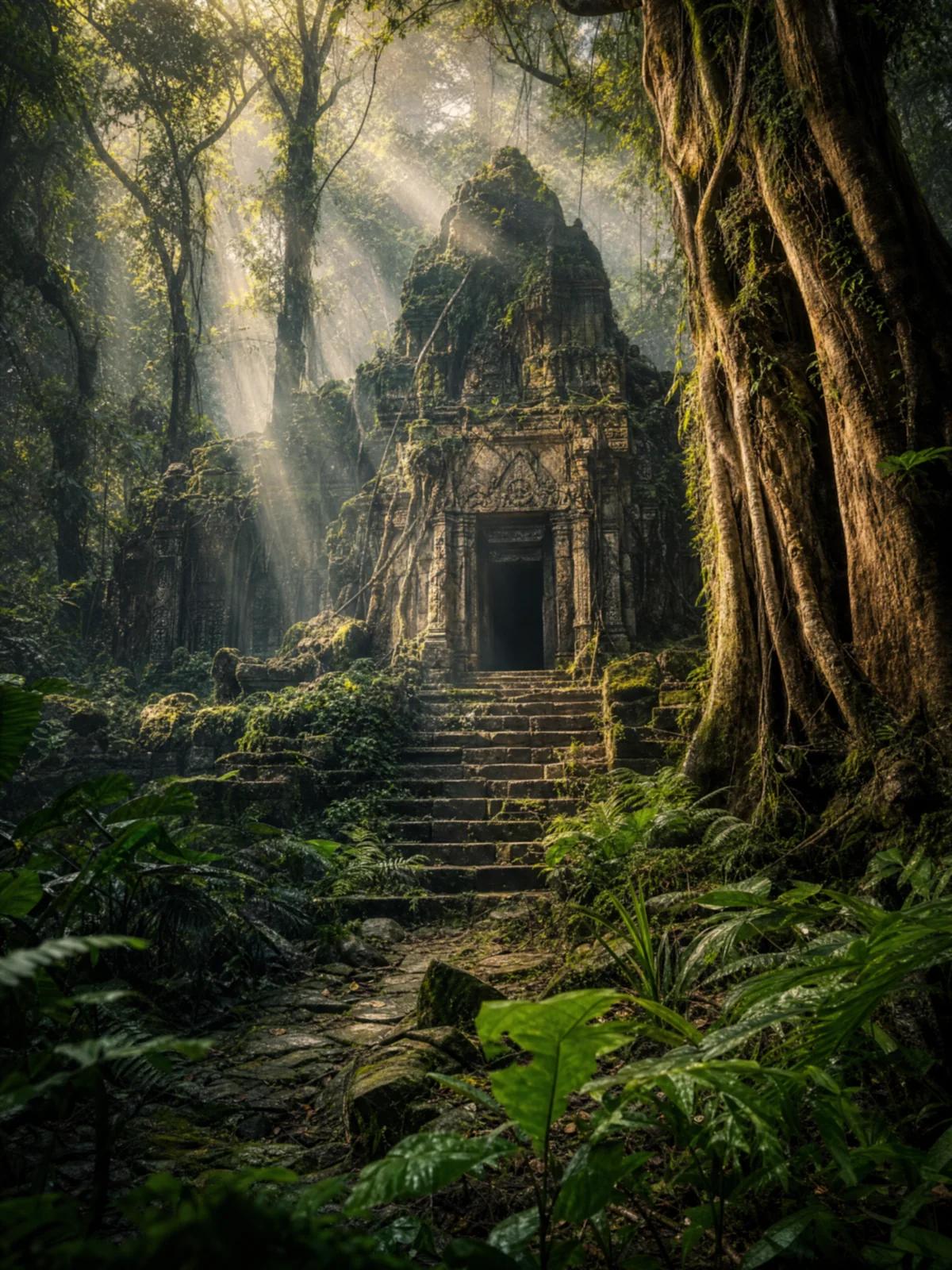
A cinematic scene from one sentence
Need a cover image, a concept piece or a striking wallpaper? Name the place, the light and the sense of scale in one line, then pick the aspect ratio that suits your layout.
Example prompt
“An ancient stone temple overgrown with roots, moss and vines, hidden deep in a misty tropical jungle; weathered carved stone steps lead up to a dark doorway; dramatic shafts of golden sunlight cut through the mist and the canopy; lush ferns in the foreground. Adventure film still, vertical 3:4, photorealistic, cinematic, high detail, no text, no letters, no logos, no watermark, no UI elements, no play button.”
Questions, answered
Text to Image FAQ
Vivid costs 1 credit per image, Sharp costs 2, and Vivid Pro costs 2 at 1K or 3 at 2K. Credits come in one-time packs starting at $19 for 200, and they never expire.
Choose Vivid for bold, illustrative looks, Vivid Pro for the sharpest and most cinematic images, and Sharp when the picture needs readable text, such as a poster, logo or app screen.
Every engine offers 9:16, 1:1 and 16:9. Vivid Pro unlocks 15 ratios in total, including 4:5, 3:4, 2:3, 3:2 and ultra-wide 21:9.
Describe the subject, setting, style, lighting and framing in plain language. Concrete details, such as materials, colors or the time of day, give more predictable results than a list of loose keywords.
Yes. You can use your creations commercially as long as you have the rights to your inputs and follow the Terms.
Renders made before your first purchase carry a small watermark. Buying any credit pack removes it from every new render.
Turn your next idea into an image
Open the studio in your browser, describe the picture in your head and get up to four images in the format you need. One credit balance works across every Miruvia tool, with no subscription.