
AI photo editor
AI image editor: edit photos by describing the change
Upload a photo, type what should change, and Miruvia makes the edit right in your browser: a new background, a different outfit or color, an object added or removed, or fresh lighting. Get up to four variations per run and keep the one you like best.
- Outputs image
- From 1 credit
- 1–4 variations per run
What you can do with Image Editor
Swap the background
Move your subject to a beach, a studio or a city street, or replace a cluttered room with a clean backdrop, all with one instruction.
Change outfits and colors
Try a different jacket, a new dress color or a seasonal look on the same photo, without organizing a reshoot.
Add or remove objects
Put a coffee cup on the table, add props to a product shot or take a stray object out of the frame.
Relight the scene
Turn flat daylight into golden hour, add soft studio light or create a moody evening look with a short description.
Pick the engine and format
Use Vivid for bold, expressive edits at 1 credit, Vivid Pro for the sharpest results at 1K or 2K, or Sharp when text and fine detail matter. Choose 9:16, 1:1 or 16:9, with more ratios on Vivid Pro.
How it works
How Image Editor works
- 01
Upload your photo
Add the image you want to change. A sharp, well-lit photo gives the editor the most to work with.
- 02
Describe the edit
Type one clear instruction, such as replacing the background or changing the jacket color, then choose an engine and the number of variations.
- 03
Compare and download
Review the variations in your private Library, download your favorite or send it to Image to Video to animate it.
Example
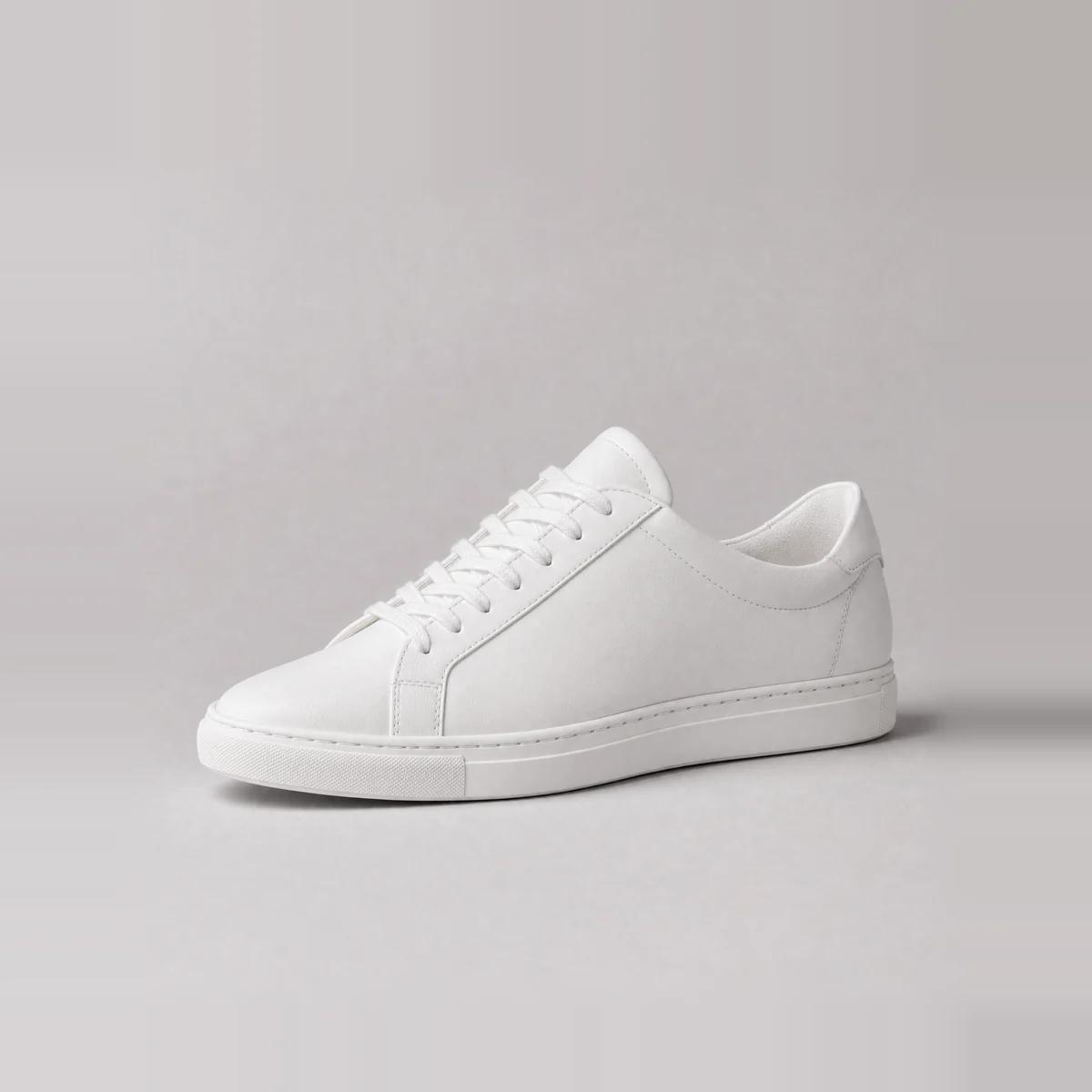
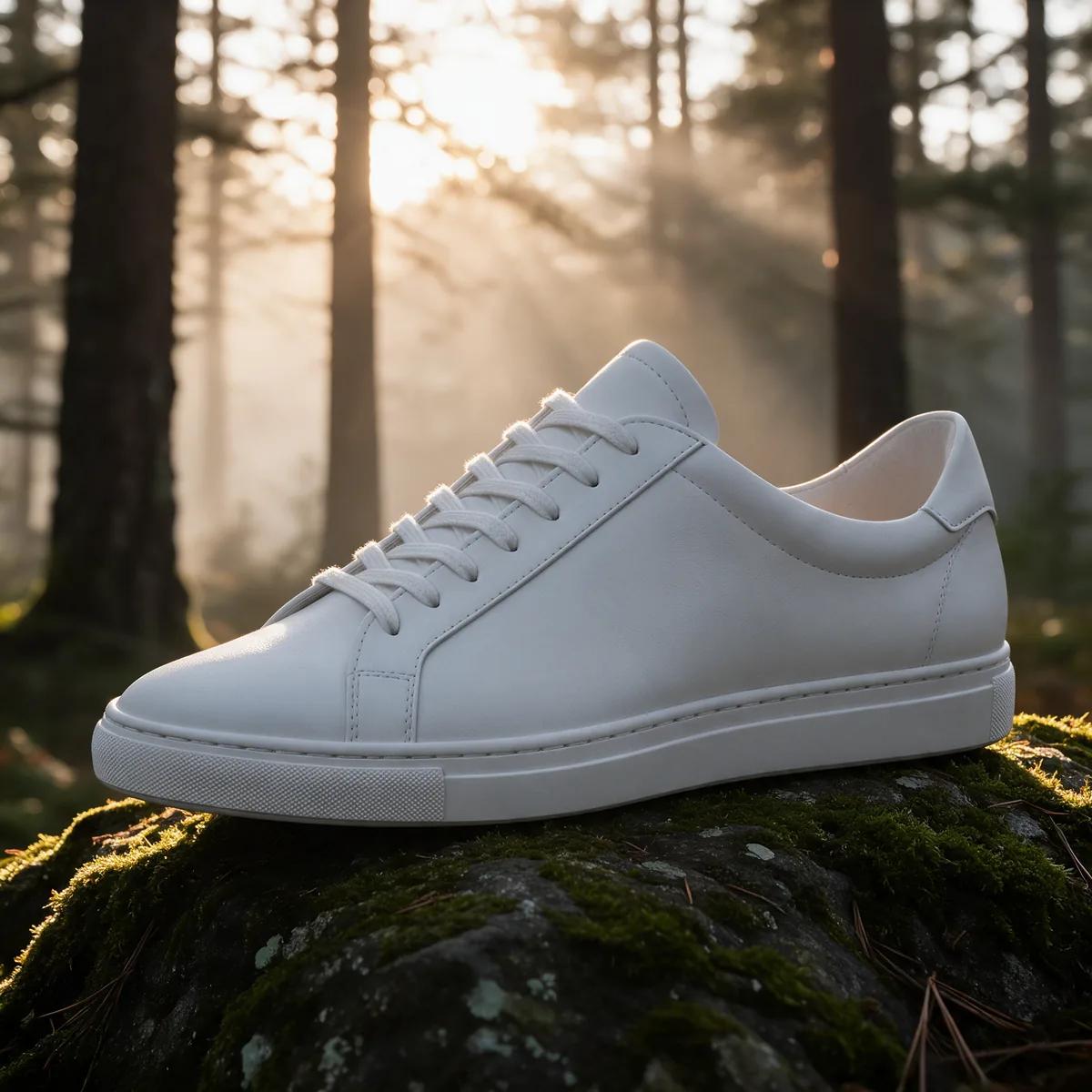
A lifestyle backdrop for a product photo
Turn a plain studio shot into a lifestyle image without a new shoot. One instruction moves the sneaker from a gray studio floor to a misty forest at sunrise.
Example prompt
“Place the sneaker on a mossy rock in a misty pine forest at sunrise, with warm sunbeams through the trees — keep the shoe exactly the same.”
Popular uses
Made for one job
Questions, answered
Image Editor FAQ
Vivid costs 1 credit per variation, Sharp costs 2, and Vivid Pro costs 2 at 1K or 3 at 2K. The exact cost shows before every render, and credits never expire.
You can swap backgrounds, change outfits and colors, add or remove objects and relight a scene. Miruvia is safe-for-work by design, so edits involving nudity or a real person's likeness without consent are blocked and not charged.
Say what should stay as well as what should change, for example: keep the face and outfit the same. Clear, specific instructions give the most faithful edits.
Every engine offers 9:16, 1:1 and 16:9. Vivid Pro adds more aspect ratios and lets you choose 1K or 2K resolution.
Yes. You can use your creations commercially as long as you have the rights to the photos you upload and follow the Terms.
Yes. Your generations are private to your account and saved in your Library, ready to download.
Give your photo a new look
Upload an image, describe the change and compare up to four variations. You pay only for what you render, and there is no subscription.